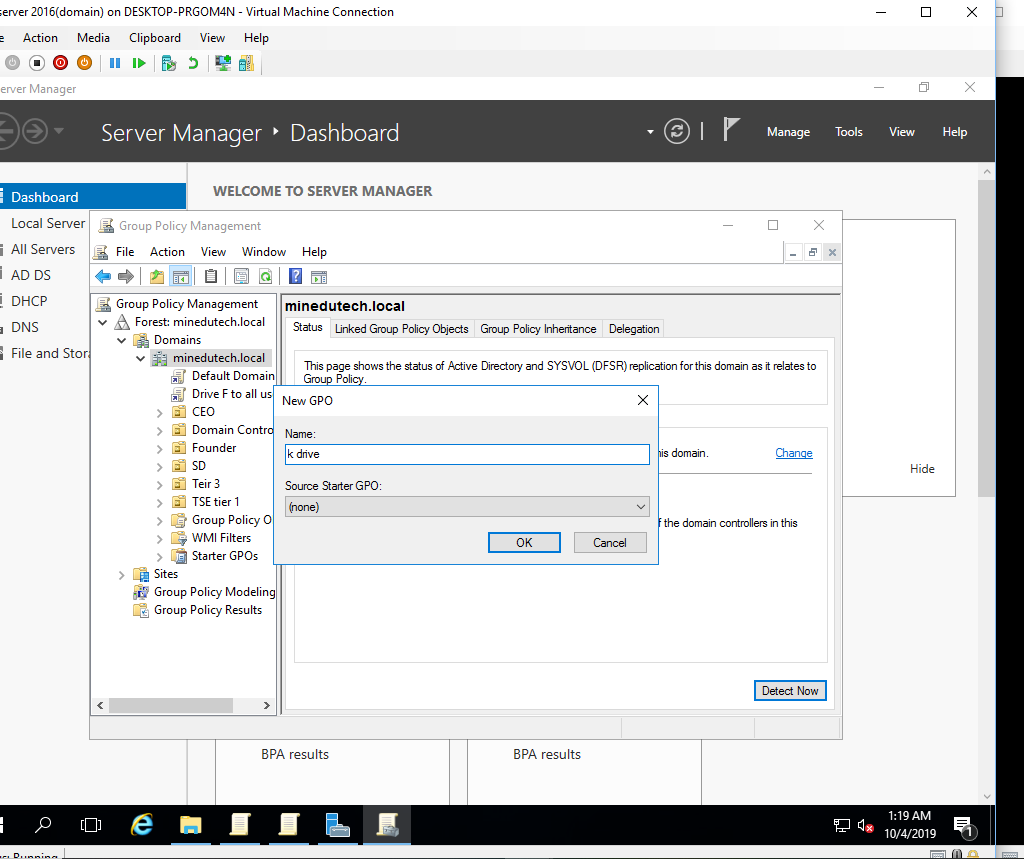
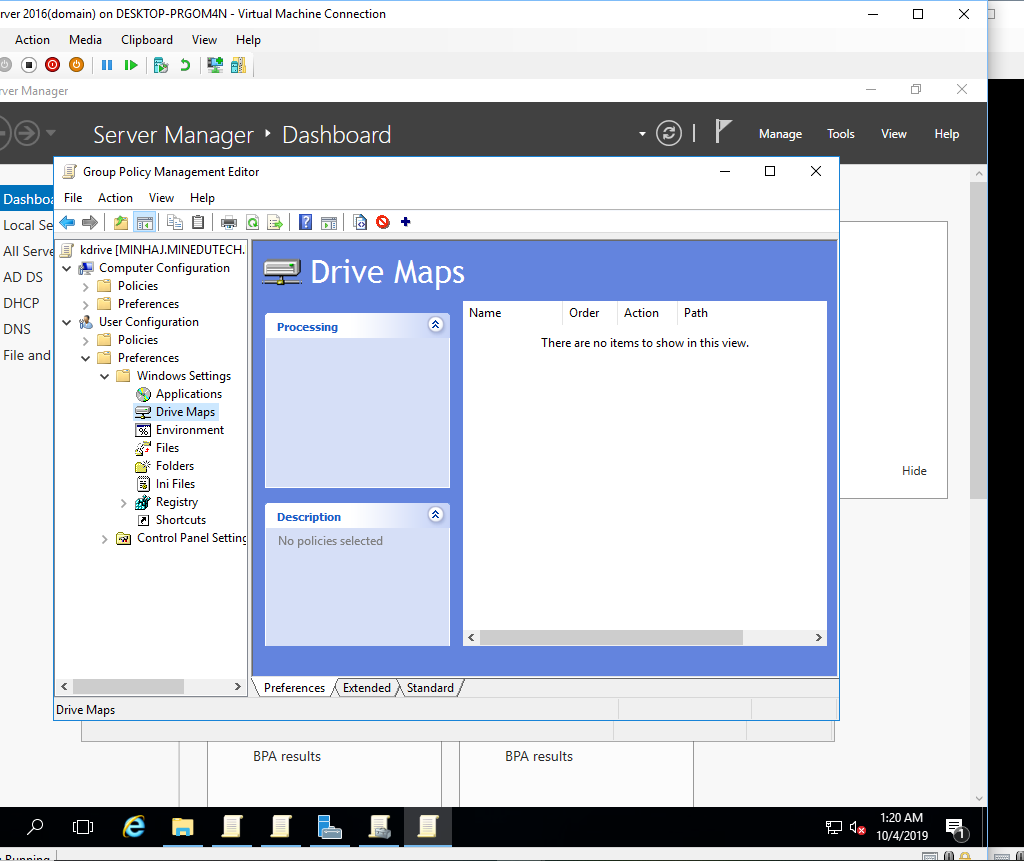
Drive Mapping October 4, 2019 by Minhaj M Khan with no comment IT Create folder with drive name and enable sharing. Create new GPO object Edit the policy and go to drive maps option Add new and paste the sharing link of folder in location Add drive in user system Drive is showing now! Use quotas to limit the folder size Now the folder size is limited Previous Post Restrict user access to internet properties from Domain Controller