
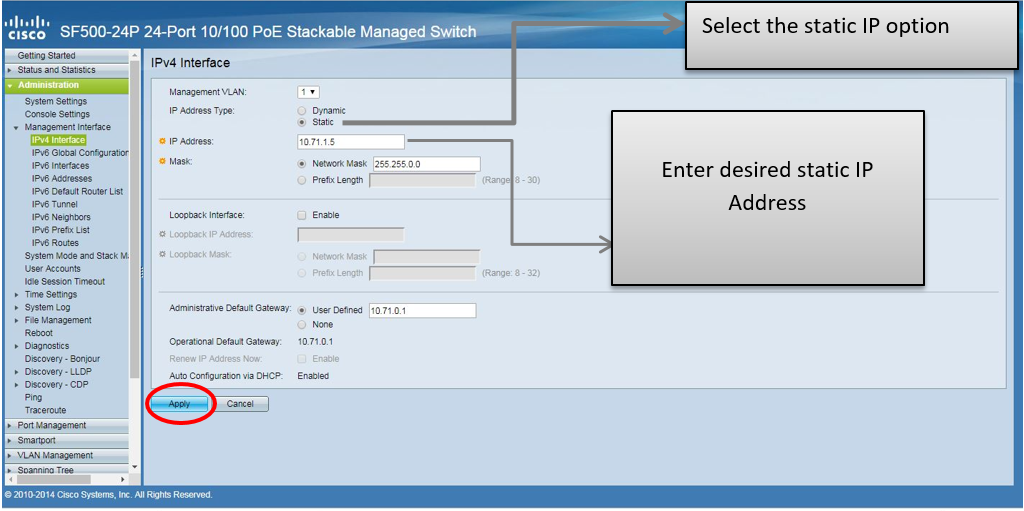
Connect the Ethernet cable with SF500 cisco switch. Open default IP ( 192.168.1.254 ) in system browser enter the user name as “cisco” and password as “admin”. when GUI window is open go to “Administration” option select “management interface” and click on IPv4 interface. Enter your desired IP address,mask and gateway as shown in below picture.
In this configuration i am using static IP.
You need to add a widget, row, or prebuilt layout before you’ll see anything here. 🙂
