
Step:1
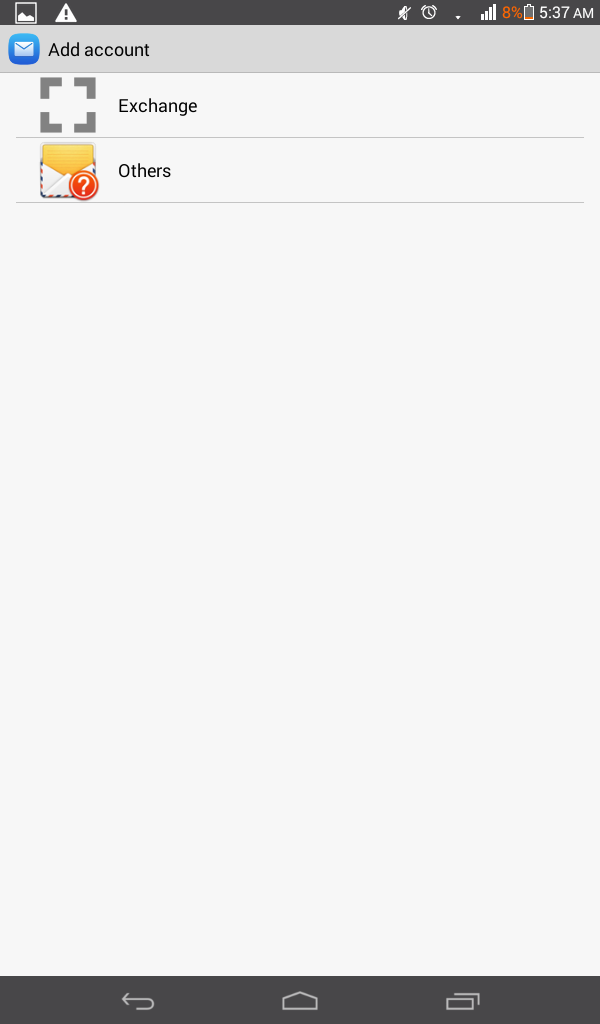
Open your email application on your Android phone.
Step:2
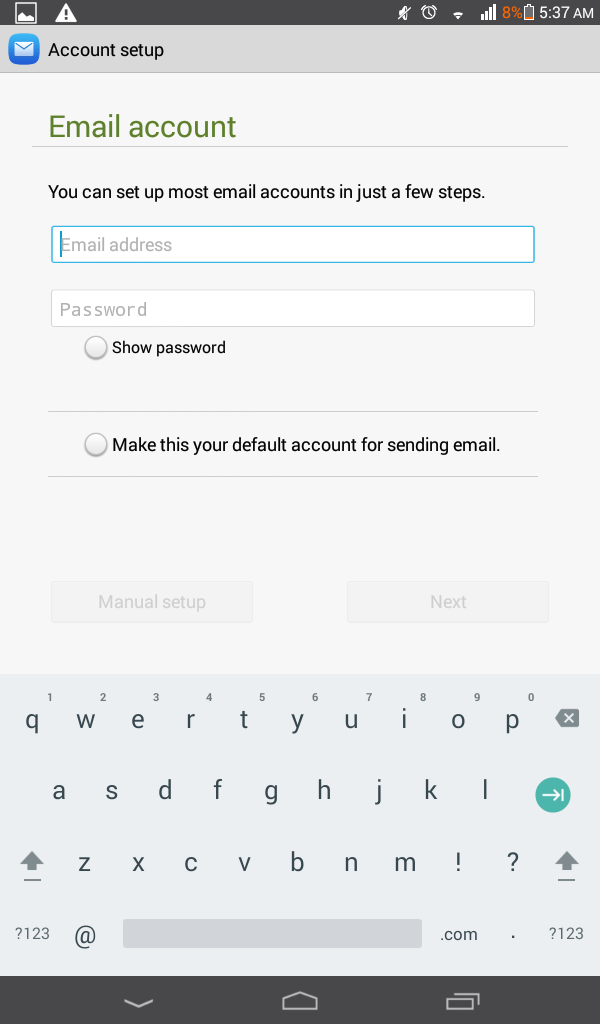
Click on other option, after that enter your “email address” and “password”
Step:3
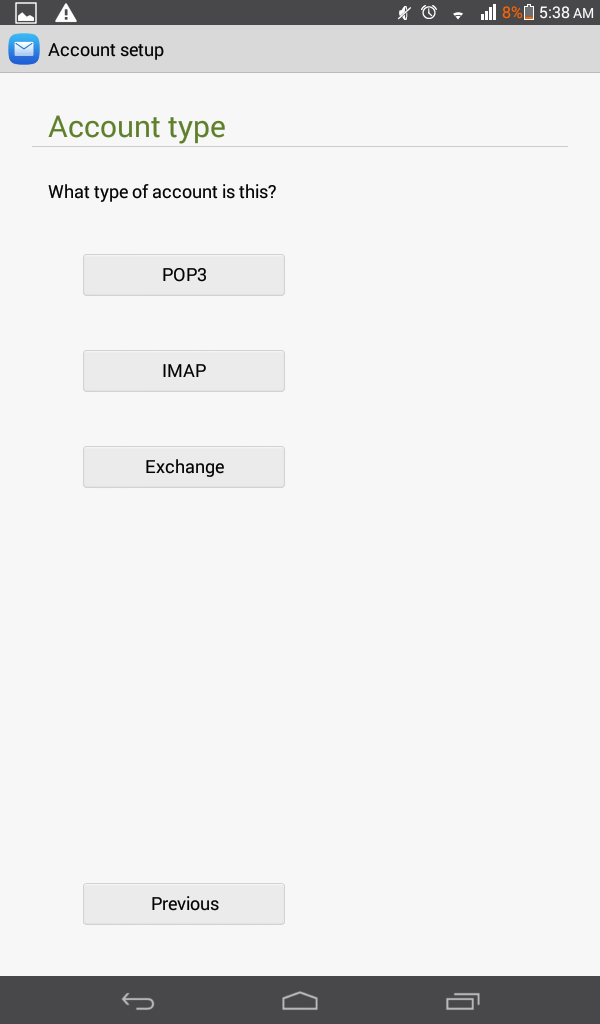
You will able to see option of account type select your desired option.
Step: 4
I have selected the POP3 option from the above.
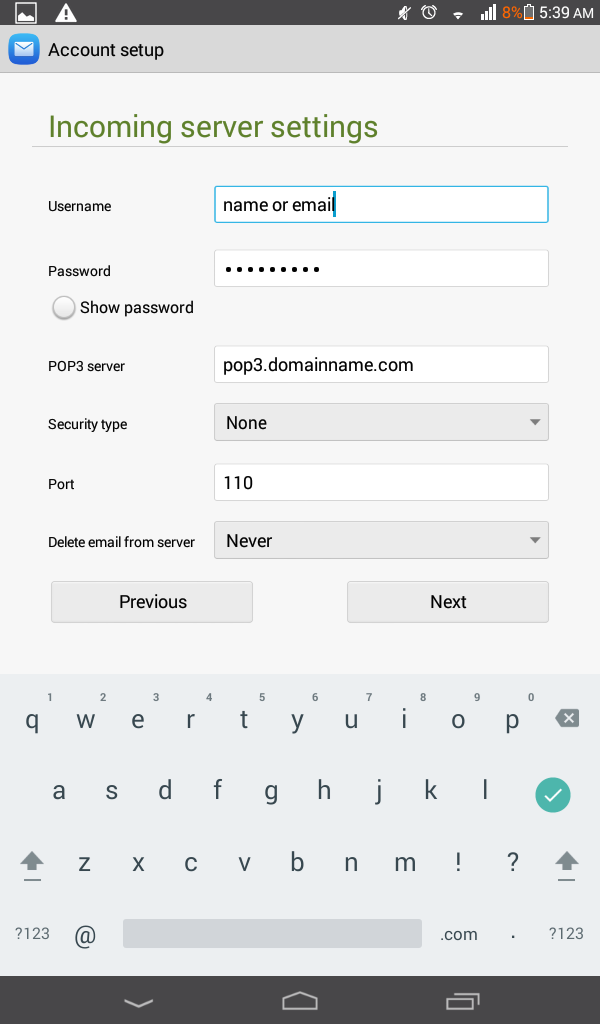
Enter your user name, password, in POP3 server option enter your domain name and port 110.
Step: 4
Now enter the outgoing options as follow.
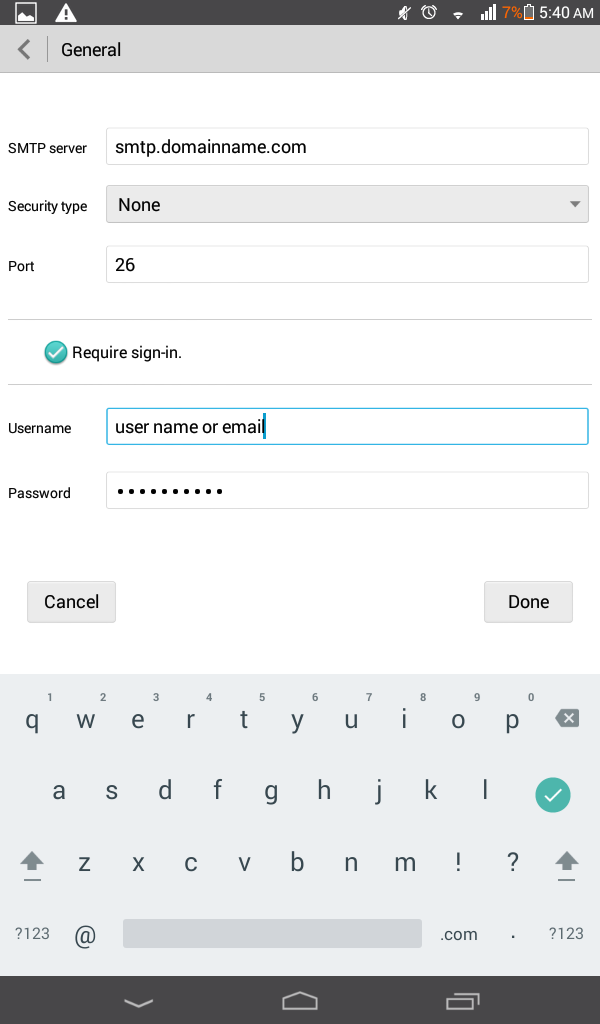
After following above steps cell phone will communicate with server and your emails will be downloaded.
Thanks
